In this article, we break down key considerations, best practices, and practical tips to help businesses make informed decisions about their office technology and communication systems.
Is the Ricoh IM C2510 or IM C4510 Right for Your Office?
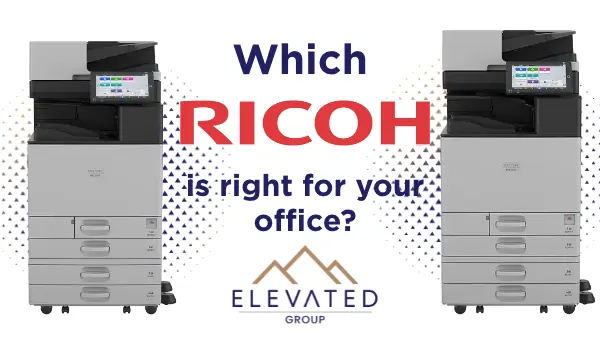
If your office is shopping for a new color copier, two Ricoh models will likely land on your short list: the IM C2510 and the IM C4510. Both are A3 color multifunction printers, so they print, copy, scan and fax (optional) on paper up to 11x17. The big difference is volume. The IM C2510 prints 25 pages per minute and suits a small office or a single team. The IM C4510 prints 45 pages per minute and is built for busy, shared departments. Here's how to tell which one fits your business.
What both models have in common
These two machines come from the same Ricoh family, so a lot of the day-to-day experience is the same.
• Tablet-style touchscreen. Ricoh's Smart Operation Panel works like a tablet, so staff can find copy, scan and print settings without a manual.
• Easy mobile printing. Print from phones and tablets with Apple AirPrint, Mopria or the RICOH Smart Device Connector app.
• Built-in security. Both include Ricoh's built-in security features and user login options to keep your documents protected.
• Always up to date. With RICOH Always Current Technology, new features and updates can be added to the machine over time, so it doesn't feel outdated a few years in.
• Cloud-ready. Both connect to cloud services and digital workflows, making it simple to scan straight to the places your team already works.
Ricoh IM C2510: color power for smaller offices
The IM C2510 is a strong fit for small businesses, front offices and single departments that print in color but not all day long.
• 25 pages per minute in black and white and color
• Fast scanning of up to 94 pages per minute with the single-pass document feeder
• Sharp output at up to 1200 x 1200 dpi
• Up to 2,300 sheets of paper capacity with added trays
• Compact, eco-friendly design made with 50% post-consumer recycled plastic
If your team prints flyers, proposals, invoices and the occasional 11x17 spreadsheet, the IM C2510 gives you full A3 color without paying for speed you won't use.
Ricoh IM C4510: built for busy departments
The IM C4510 is made for higher-volume offices, where many people share one machine and the print queue never really stops.
• 45 pages per minute, nearly twice the speed of the IM C2510
• Quick first page in about 3.2 seconds for black and white and 5.2 seconds for color
• Booklet finishing (optional) with a 3,000-sheet stacker and stapling up to 65 sheets per document
• Better admin control with unlimited administrator accounts and permissions that link to Windows and LDAP user systems
• Energy efficient with ENERGY STAR certification and an EPEAT Gold rating
If your office prints training binders, booklets, reports or marketing pieces in-house, the IM C4510 keeps up and finishes the job without a trip to the print shop. Side by side: which one is right for you?
Ricoh IM C2510
- 25 ppm print speed
- Paper size up to 11x17 (A3)
- Print, copy, scan, optional fax
- Best for small offices and single teams
- Standard finishing options
Ricoh IM C4510
- 45 ppm print speed
- Paper size up to 11x17 (A3)
- Print, copy, scan, optional fax
- Best for busy, shared departments
- Optional booklet finisher, 65-sheet stapling
Choose the IM C2510 if you have a smaller team, print in color a few times a day, and want A3 capability in a compact footprint
Best for
- Small offices, single teams
- Busy shared departments
- Finishing
- Standard options = Optional booklet finisher, 65-sheet stapling
Choose the IM C4510 if many people share the machine, you print long jobs or booklets in-house, or waiting at the copier is costing your team time.
Not sure which Ricoh fits? Let's talk.
Elevated Group is a Ricoh dealer serving businesses across the United States, headquartered in Salt Lake City, Utah. We'll look at how much your office prints, what you print and who uses the machine, then recommend the right model and setup.
Call us at (385) 281-8441 or request a quote to set up a quick needs review with our team.